Choose a Cloud, Local, or Remote Model
Pick where a Bionic session runs and choose a model that fits the task.
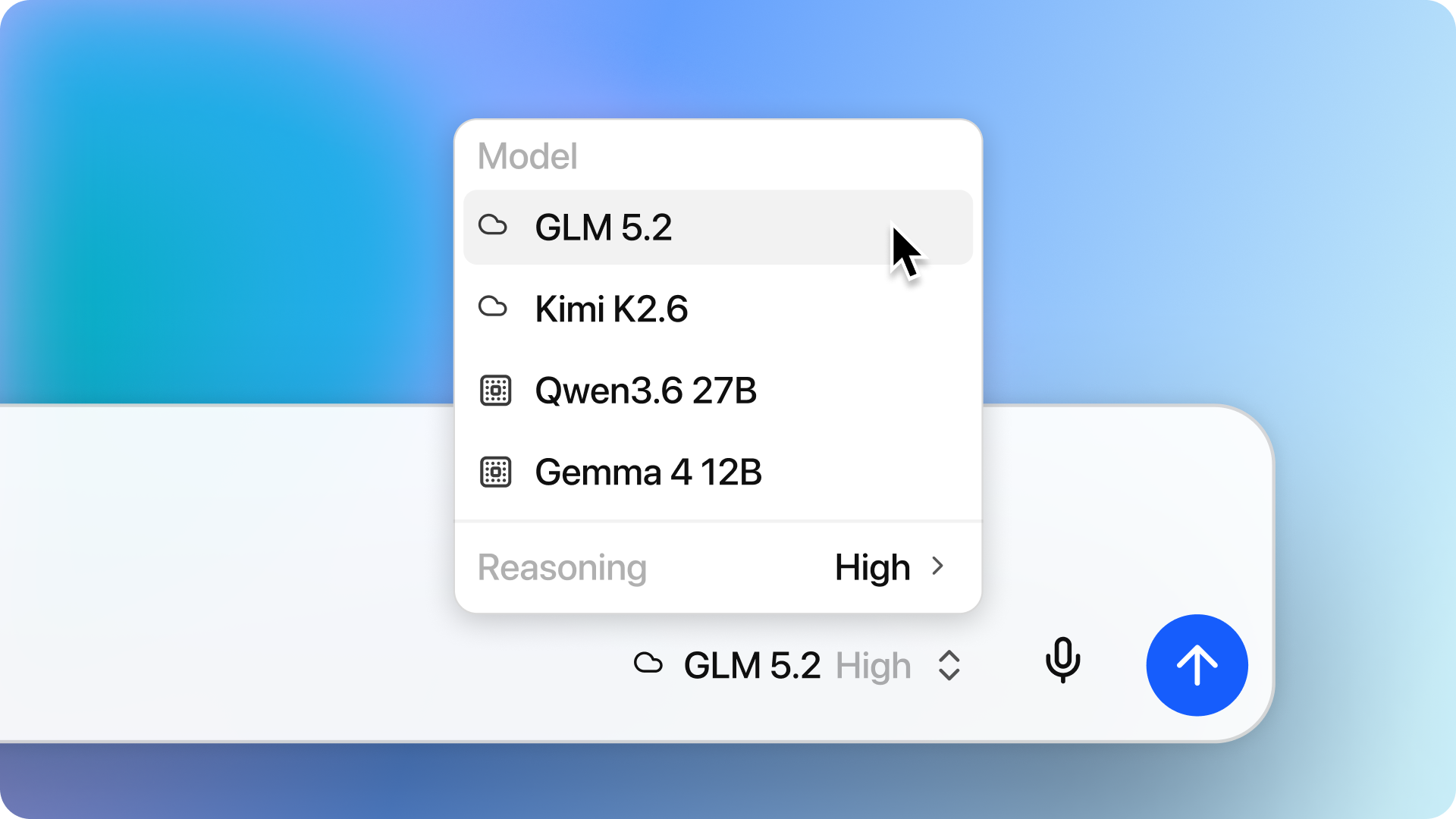
Open the model picker in a session to choose its main model. Run locally, connect through LM Link, or use the largest frontier open models through LM Studio Secure Cloud with Zero Data Retention.
Cloud models
Choose a Cloud model when you want a hosted model without using your computer's memory for inference.
Cloud models require:
- An internet connection.
- A signed-in LM Studio account with billing set up.
- Available personal or organization credits.
When using a cloud model, your data is processed transiently by models running in LM Studio Secure Cloud, under Zero Data Retention. Usage of cloud models will consume the credits available in your account. See Understand Credits and Usage.
Local models
Choose a Local model to run inference on-device. The model must be downloaded and must fit your available hardware resources.
You can explore local models and download them directly in Bionic. See Download Local Models.
Remote models
A Remote model is a local model running on another device through LM Link. The remote device handles inference, while the conversation stays on the device where you are using Bionic.
Remote models appear only while the linked device is available and sharing its local models.
Choose for the task
Consider:
- Whether the model supports the tools and image input your task needs.
- Whether the work must stay on your own devices.
- The speed and memory available on the local or remote device.
- Whether you have available credits for cloud model usage.
If the model supports configurable reasoning, you can also choose a reasoning level for the session.
Set a default
Open Settings → General and choose a Root model to use as the default for new sessions.
You can change the model for an existing session from its model picker.