Run open models on NVIDIA DGX Station GB300
LM Studio is excited to collaborate with NVIDIA for DGX Station's general availability announcement!
DGX Station is an AI supercomputer that offers the capabilities of an AI server in a deskside form factor. It's powered by the NVIDIA GB300 Blackwell Ultra Superchip and delivers 748 GB of coherent memory, along with up to 20 petaFLOPS of AI compute performance. With this device, teams can run and securely share frontier open-source models locally via LM Studio.
On-Prem AI with DGX Station and LM Link
We recommend using our headless daemon (llmster) paired with LM Link to unlock secure model deployment for teams and businesses – even when you're not on the same local network.
LM Link is our new feature that provides end-to-end encrypted communication between your machines running LM Studio, allowing you to securely use models on remote machines as if they were local.
Install llmster on DGX Station
First, install llmster on the DGX Station. Open the terminal and run the following command:
curl -fsSL https://lmstudio.ai/install.sh | bashOnce llmster is downloaded, ensure you're on version 0.0.8 (or greater) by running:
lms daemon statusLog in to your LM Studio account.
lms loginFollow the instructions in your terminal output to complete login, then run the following command:
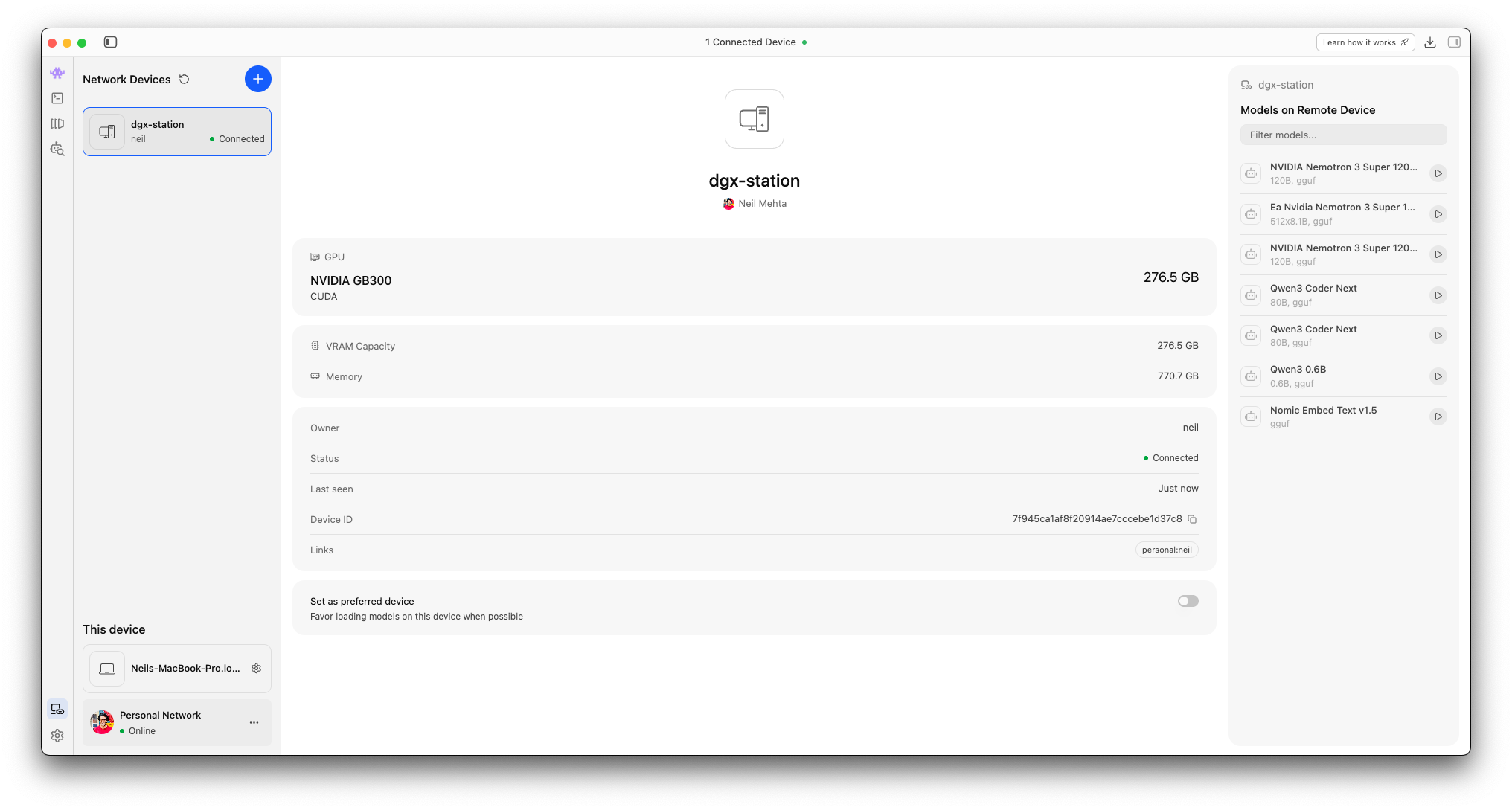
lms link enableNow your Station will be available for discovery over LM Link.
Download a model
Let's download a model like OpenAI's gpt-oss-120b:
lms get openai/gpt-oss-120bModels downloaded to your Station will be available to all other linked devices for loading and inference. This means you can interact with OpenAI's gpt-oss-120b model from a lightweight laptop while the Station handles all the heavy lifting, even if the devices are half a world apart.
While the feature is in preview, LM Link is limited to your own devices. We are working on group links, and soon you'll be able to securely serve models to team members located anywhere in the world. If you're interested in something like this for your organization, get in touch with us to chat about it.
Connect to DGX Station over your local network
Alternatively, you can also make the Station your on-premises LLM server by connecting to the Station's LLM server from other devices on the same network. Feel free to reference the same guided set up provided in our DGX Spark playbook.
You can utilize LM Studio's SDKs (lmstudio-js, lmstudio-python), the LM Studio API, or our Anthropic/OpenAI-compatible APIs to use the Station's models from your tools and projects.
Let us know how it goes!
DGX Station is brand new and we'd love to hear from you if you have one of these beasts. Email us or reach out via our enterprise form and we'd love to hear more about your use cases.
More Resources
- We are hiring! Check out our careers page for open roles.
- Download LM Studio: lmstudio.ai/download
- Report bugs: lmstudio-bug-tracker
- X / Twitter: @lmstudio
- Discord: LM Studio Community