LM Link in Locally
Use your LM Studio models on your iPhone and iPad with Locally, the LM Studio mobile app.
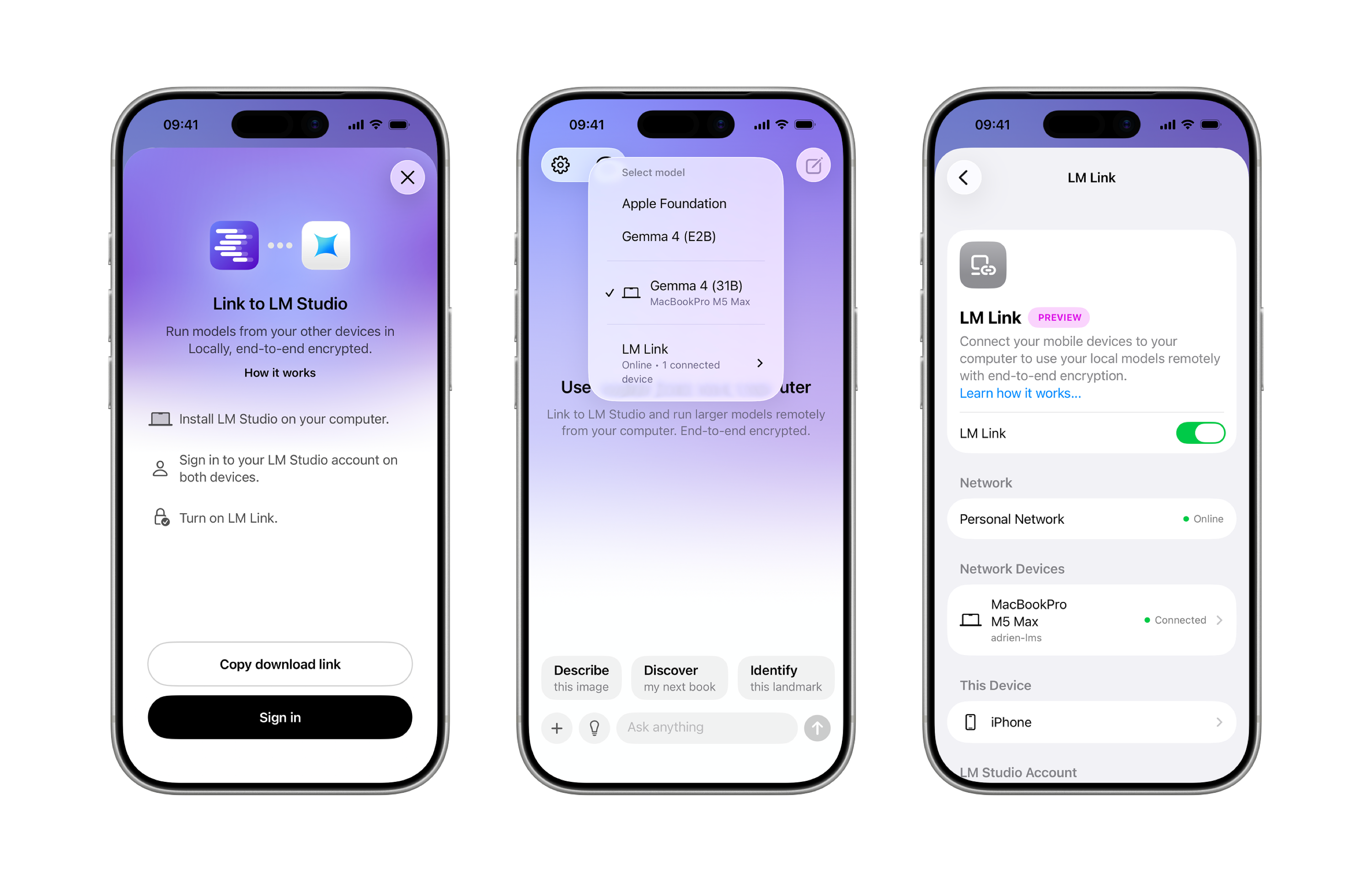
Locally is LM Studio's mobile app, available for iPhone and iPad. Enable LM Link in Locally to use your largest local models running in LM Studio directly from your phone. All data and communication between your devices stay end-to-end encrypted.
Getting Started
- If you don't yet have LM Studio, download it here.
- Sign in to your LM Studio account, and make sure LM Link is enabled in LM Studio.
- Download the Locally app on your iPhone or iPad.
- Sign in to Locally with the same account you used for LM Studio, and enable LM Link in Locally.
Your Locally and LM Studio devices will discover each other over the link, and you can begin using your largest models running in LM Studio, directly from your phone.
FAQ
Does the connection stay active when I close the Locally app?
LM Link is an alive end-to-end encrypted connection between your devices, while this ensures it is secure there are limitations on how long this connection can last once the app is backgrounded. We are actively working on both improving the latency for faster reconnect and ways of keeping the connection alive.
Does LM Link require internet connection?
Yes. LM Link requires an internet connection to establish the connection between your devices.
I see Locally is also supported on Macs. Can I use LM Link between my iPhone and Mac versions of Locally?
Not quite — LM Link is designed to connect LM Studio on your computer to Locally on your mobile device, not between two Locally apps.