LM Studio comes with a built-in model downloader that let's you download any supported model from [Hugging Face](https://huggingface.co).
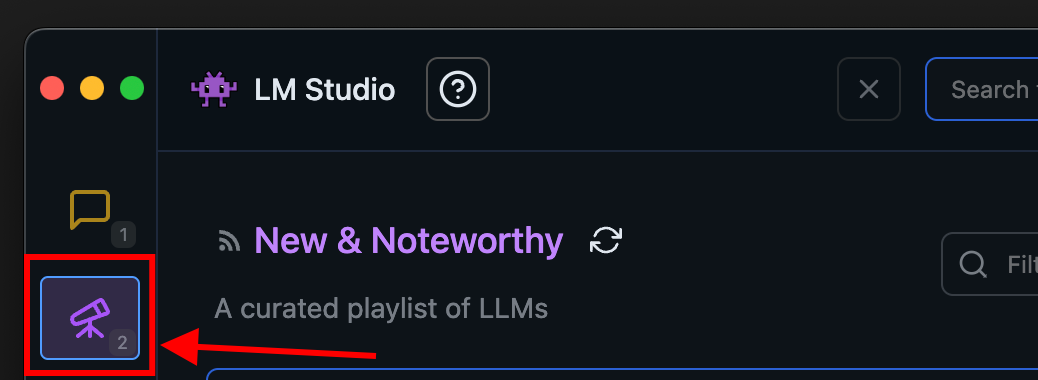
Searching for models [#searching-for-models]
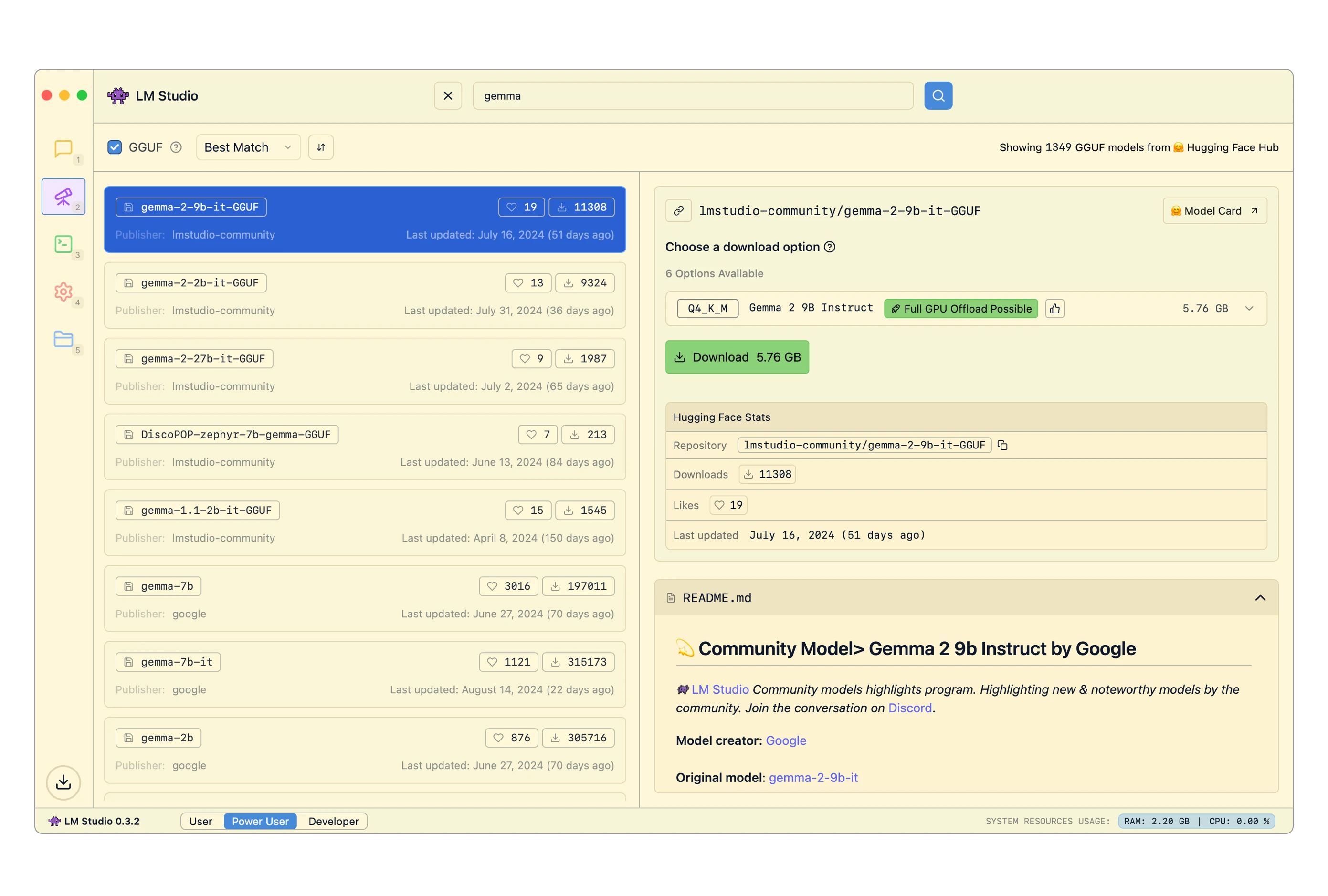
You can search for models by keyword (e.g. `llama`, `gemma`, `lmstudio`), or by providing a specific `user/model` string. You can even insert full Hugging Face URLs into the search bar!
Pro tip: you can jump to the Discover tab from anywhere by pressing `⌘` + `2` on Mac, or `ctrl` + `2` on Windows / Linux. [#pro-tip-you-can-jump-to-the-discover-tab-from-anywhere-by-pressing---2-on-mac-or-ctrl--2-on-windows--linux]
Which download option to choose? [#which-download-option-to-choose]
You will often see several options for any given model named things like `Q3_K_S`, `Q_8` etc. These are all copies of the same model, provided in varying degrees of fidelity. The `Q` represents a technique called "Quantization", which roughly means compressing model files in size, while giving up some degree of quality.
Choose a 4-bit option or higher if your machine is capable enough for running it.
`Advanced`
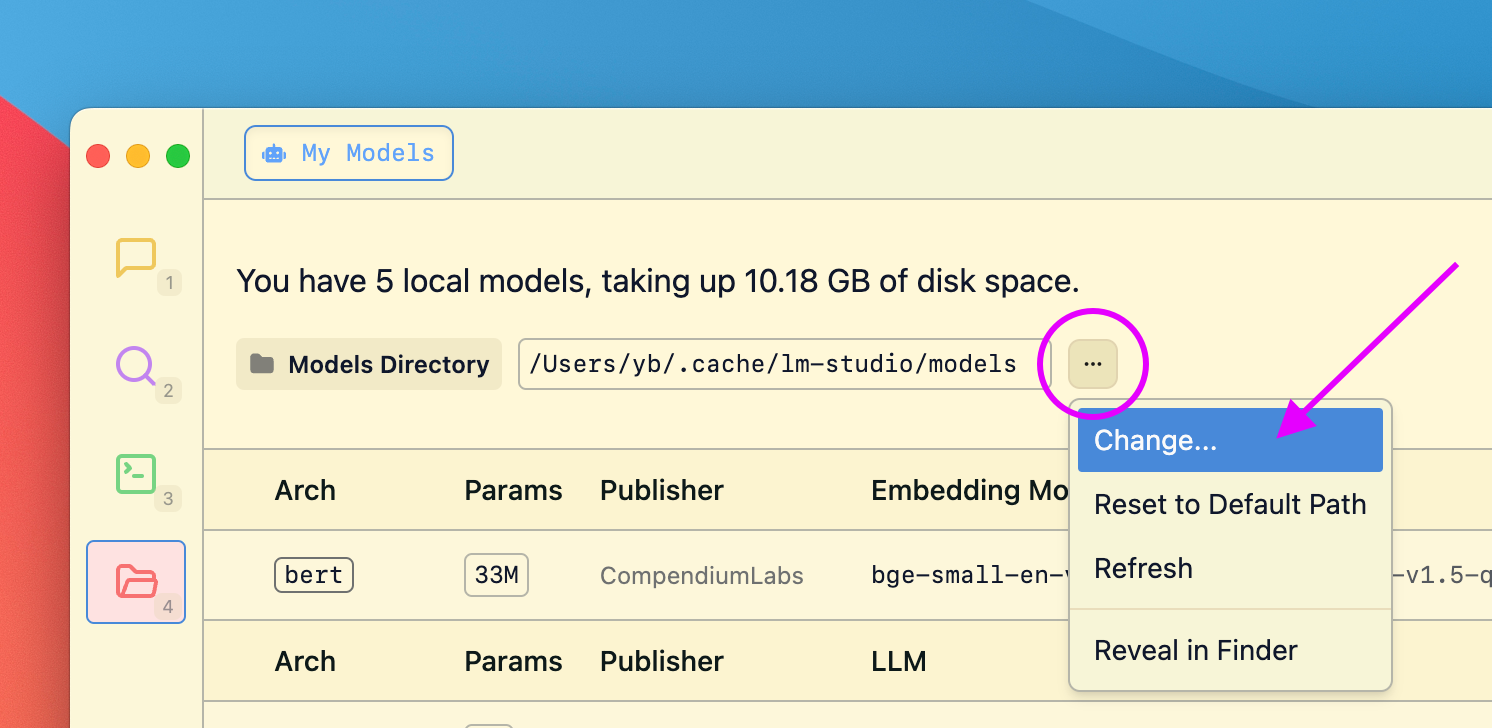
Changing the models directory [#changing-the-models-directory]
You can change the models directory by heading to My Models
Community [#community]
Chat with other LM Studio users, discuss LLMs, hardware, and more on the [LM Studio Discord server](https://discord.gg/aPQfnNkxGC).